It's important to keep your calendar up to date, so that when you're not able to take on new students, your profile reflects that.
If you need to pause, you can mark yourself as unavailable for new students, and reopen your availability whenever you're ready. You can do this from 3 places.
From your user account:
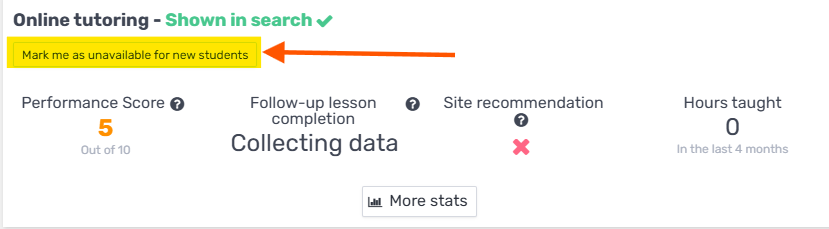
You can request to stop receiving new requests using the following button:
From your Account settings
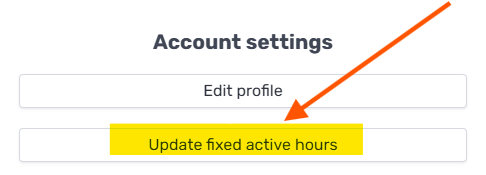
Click Account settings → Update fixed active hours:
From your tutor calendar
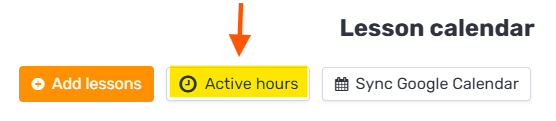
Click the "Availability hours" button:
Mark yourself as unavailable
From any of them, click "Mark me as unavailable for new students". This stops new students from contacting you, while any lessons you already have scheduled stay in place.

When you're ready to take on students again, come back to the same place and reopen your availability.