We're sorry to see you go. If something isn't working for you, or there's anything we can help with, we'd love to hear from you first. (See: Didn't find an answer? Get in touch)
Before you delete, it's important to know: deleting your account is permanent and cannot be undone. All of your lesson history, your current Score, and the reviews on your profile will be erased with no way to recover them.
If you'd rather take a break, you don't have to delete your account. You can freeze your availability or stop receiving new students instead. (See: Blocking new students from contacting you)
How to delete your account
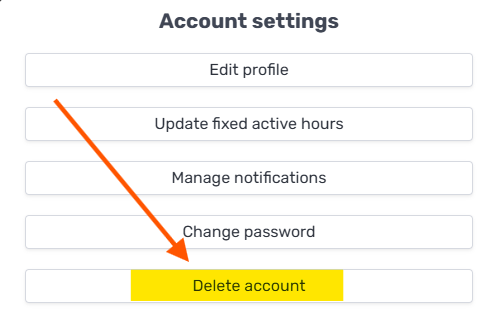
If you still want to go ahead, log in to your account, open Account settings, and click Delete account: