As a tutor on Tutorela, you can receive payments directly from your students using cash, bank transfers, or mobile payment apps.
You and your student can agree on the payment method that works best for both of you. Tutorela does not process or handle payments made directly to you.
For lessons paid directly to you, you'll need to report the completed lesson and the amount received so that Tutorela can calculate your platform fee.
Setting Up Direct Payments
To receive payments directly from students:
Log in to your Tutorela account.
Open your lesson calendar.
Find the relevant lesson and click "Change" next to the payment method.
Select "Direct" as the payment method.
Reporting a received payment
Once a lesson is completed, you'll see an option to report it under the "Tasks" tab.
Click "Lesson completed" to open the reporting form.

Enter the following details:
The actual lesson duration.
The hourly lesson price.
The total amount received from the student.
The total lesson price is calculated automatically at the bottom of the form. Make sure it matches the amount you received.
Click "Continue" to complete the report.
Remember to report all completed lessons with students who found you through Tutorela, including follow-up lessons, whether they're held online or in person.
Tracking Your Transactions
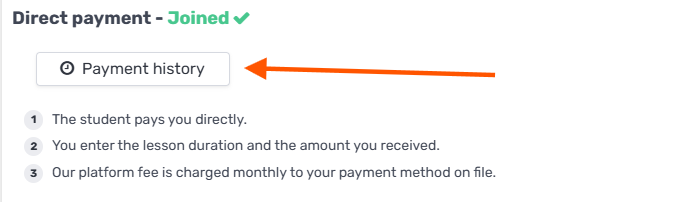
You can view and track your reported lessons and payments in your Tutorela account under "Payment History".
Paying Tutorela's Platform Fee
Tutorela charges a 20% platform fee on lessons paid directly to you and reported on the platform.
The fee covers access to Tutorela's tools and services, including your tutor profile and student reviews, lesson scheduling and management, AI-powered tools for creating personalized student exercises, student discovery, and more.
There is no fixed monthly subscription fee.
When Is the Platform Fee Charged?
The platform fee is charged once a month, in a single consolidated payment covering all lessons reported during the previous month.
The fee is automatically charged to your saved payment method on the 5th of the following month.
For example, platform fees for lessons reported in October are charged on November 5th.
If no lessons are reported during a given month, no platform fee is charged for directly paid lessons.
For more details, see How Is Tutorela's Platform Fee Calculated?.
Downloading Your Platform Fee Payment Receipt
You can download a receipt or payment confirmation for your platform fee payments directly from your Tutorela account.
Simply go to Payment History to view your payments and download the relevant receipt or payment confirmation.
Issuing Receipts or Invoices to Students
Since students pay you directly, you're responsible for issuing any required receipts or invoices for the payments you receive.
As an independent tutor, it's your responsibility to comply with applicable tax and invoicing requirements based on your location and professional status.
Tutorela does not issue receipts or invoices to students on your behalf for payments made directly to you.